Delete Wikis
To delete a wiki:
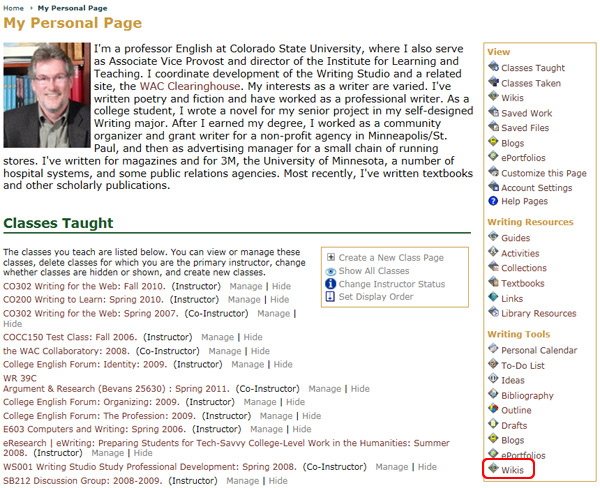
- Go to the My Page tab
- Locate the Writing Tools area
- Select the Wikis icon
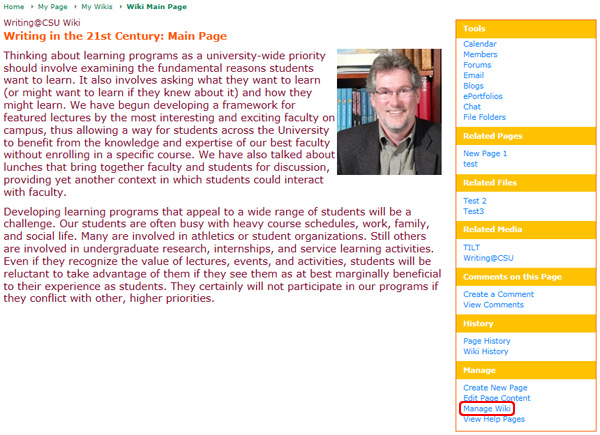
- Choose the wiki you wish to delete
- Click on the Manage section of the navigation menu
- Click the Manage Wiki/Manage Page link
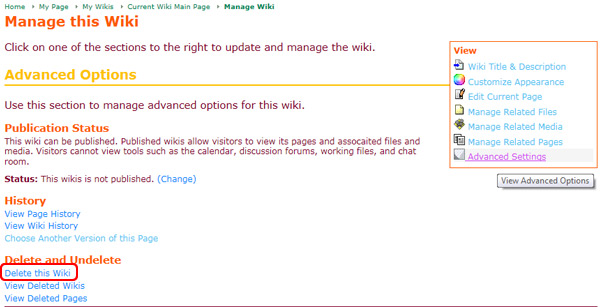
- Choose the Advanced Options tab
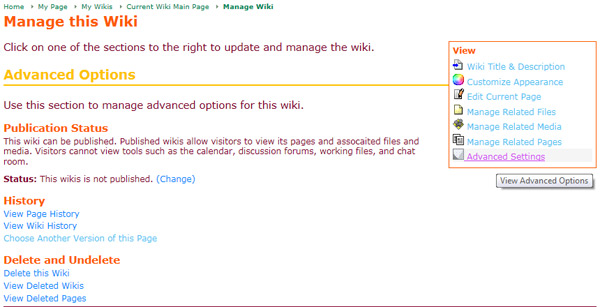
- Click the Delete this Wiki link under the Delete and Undelete section
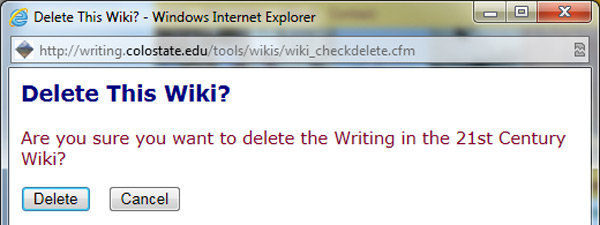
A pop-up window will open that asks the question Are you sure you want to delete 'File Name'?
- Click the Delete button to delete the wiki or click Cancel to keep the wiki